Run Swift, Python, JavaScript, Go, and Rust
Try scripts, snippets, CLIs, and UI experiments from one editor without setting up a full project first.
Five lines of Swift, Python, JavaScript, Go, or Rust shouldn’t need a project. Open a blank note and run the file. Add packages, a Linux target, or a Mac app when the idea sticks.
Open a file, hit Run, and see what happens. Notepad.exe is quick for scratch work, but it still has room for packages, platform testing, and app work.
It writes the same code you’d write by hand. You can read it, edit it, and learn from it.
Try scripts, snippets, CLIs, and UI experiments from one editor without setting up a full project first.
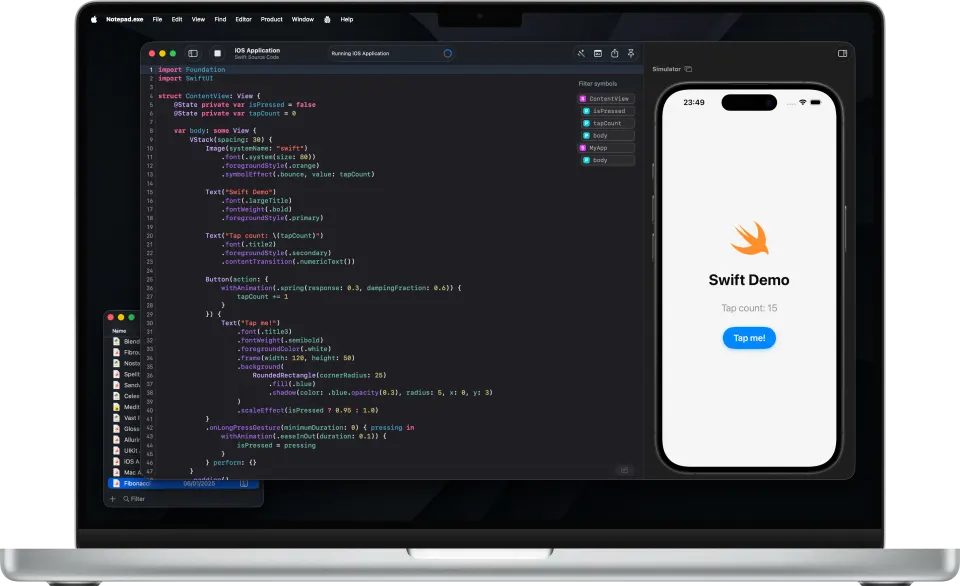
Run SwiftUI and UIKit ideas in Simulator when an experiment needs a real screen.
Keep quick experiments close to the platform they need to match, from local tools to server-side work.
Stick with one editor from the first experiment to a reusable utility, desktop app, or shareable script.
Run code, keep notes close, add dependencies, and export or share the things worth keeping.
Distribute a macOS Swift note as a local Mac app when the experiment is worth opening on its own.
Keep Python dependencies with the file and run them through the interpreter you choose.
Run JavaScript snippets, automation, and package experiments from the same editor.
Build quick CLIs, server experiments, and package tests without switching tools.
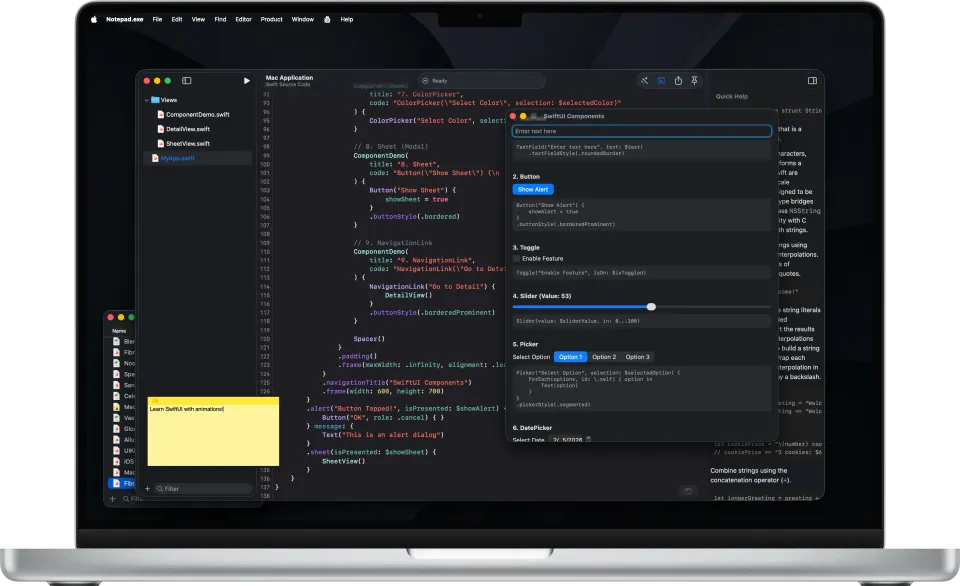
Search the Notes Library, pin scratch windows above other apps, and export polished code images.
On-Device Model stays on the Mac. Notepad AI is the default and sends the conversation through Cloudflare. ChatGPT and Claude do too.
You can try SwiftUI and UIKit in the iOS Simulator without starting in Xcode.
Add Swift packages, Python requirements, JavaScript dependencies, and Go modules without switching tools.
Swift, Python, JavaScript, Go, and Rust work without a project. Start small, then add your own interpreters, flags, and targets when you need them.
Some came for Swift, some for quick experiments, all wanted something lighter than a full IDE.
Cot does too little for me, Xcode is overkill for small things, so I really love this.
An excellent small code editor to explore Swift ideas without launching a heavy IDE like Xcode.
I was really impressed with the performance, only to learn Notepad.exe is a native app.
Fast, lightweight and refreshingly low-friction, allowing one to jump straight into experimenting with code snippets.
All paid plans work on up to 3 devices. Students and educators can apply for free academic access.
Prefer to buy once? See the perpetual license →
Students and educators get free academic access through an annual subscription at 100% off. Apply
Guides for a Swift file, a SwiftUI screen, Python, JavaScript, Go, and a Linux run.
Command-R runs a Swift note without creating an Xcode project.
SwiftUI and UIKit templates run in the iOS Simulator next to the source.
Your interpreter, a .venv the app creates, and pip for the note's dependencies.
One file, Command-R, and Bun. A Node project can wait until you need it.
Swift and Go cross-compile, then run in a Linux container. Python, Bun, and Rust run there too.
On-Device Model stays on the Mac. Notepad AI, the default, sends chat through Cloudflare.
Distribute App writes a local Mac app from a macOS Swift note. App Store upload stays in Xcode.
Search the Library, tag a note, and pin the window above your other apps.
A new Go note gets a go.mod from the app. Command-R runs it.
Xcode, Python, JavaScript, Linux, and what the assistant does with your code.
Open Notepad.exe, start a Swift note, and press Command-R. If nothing else is installed, the app can assemble a macOS toolchain from Apple's Command Line Tools packages. The iOS Simulator still needs Xcode. Learn more
Pick a SwiftUI or UIKit template, write the view, and run it. Notepad.exe opens the iOS Simulator beside the editor, so you can see the screen without an .xcodeproj. Learn more
Open a Python note and run it with the interpreter you already have. The app creates a .venv from that interpreter and pip-installs the note's dependencies into it, including a library such as numpy. You do not need a PyCharm project. Learn more
Notepad.exe runs JavaScript and TypeScript with Bun, and it can install Bun for you. A single file runs with Command-R. Add a package when the script needs one. Learn more
Write the file on your Mac, then run the Linux target. Notepad.exe starts a Linux container. Swift and Go cross-compile on the Mac and the binary runs there. Python, Bun, and Rust run inside the container. Learn more
On-Device Model and the version 1.3 suggestions keep the code on your Mac. Notepad AI is the default and sends the conversation through a Cloudflare gateway. ChatGPT (API), ChatGPT (Codex), and Claude send it to that provider. Learn more
Choose Distribute App on a macOS Swift note, including SwiftUI and AppKit. You get a local Mac app on your own machine. App Store upload is Xcode's job, and Python, Go, JavaScript, and Rust stay in the editor. Learn more
Save the note to the Library. Search by name, filter by language, and add tags such as ios or swiftui. Pin the window above your other apps when you want the snippet in view. Learn more
Open a Go note and press Command-R. You do not type go mod init. The app creates go.mod for a new note. The Linux target cross-compiles a static binary and runs it in a container. Learn more



