Run Swift on a Mac without an Xcode project
You can run Swift on a Mac without creating an Xcode project. Open Notepad.exe, start a Swift note, and press Command-R. If Xcode or Command Line Tools with Swift are already installed, the app uses them. If nothing is installed, it can assemble a macOS toolchain from Apple's Command Line Tools packages. The iOS Simulator still needs Xcode.
The Xcode project
A new Mac or iOS app in Xcode creates a project file, a target, a scheme, and a folder of bookkeeping. That container is the right one when you are signing a build or adding an extension. It is a strange amount of furniture when you want to check a parser, a format string, or a snippet you saw in a talk.
Terminal already has two lighter paths. swift File.swift runs a single file. swift package init makes a package. Both work, and both leave the file in whatever directory you happened to be in. Next month the snippet is gone, or it is named test2.swift on the Desktop.
Run the file first
Notepad.exe opens on a blank note. Command-R, the same shortcut the other language notes use, has been the Swift path since the first release. Output shows up in the editor. Completion and diagnostics cover the file you are in.
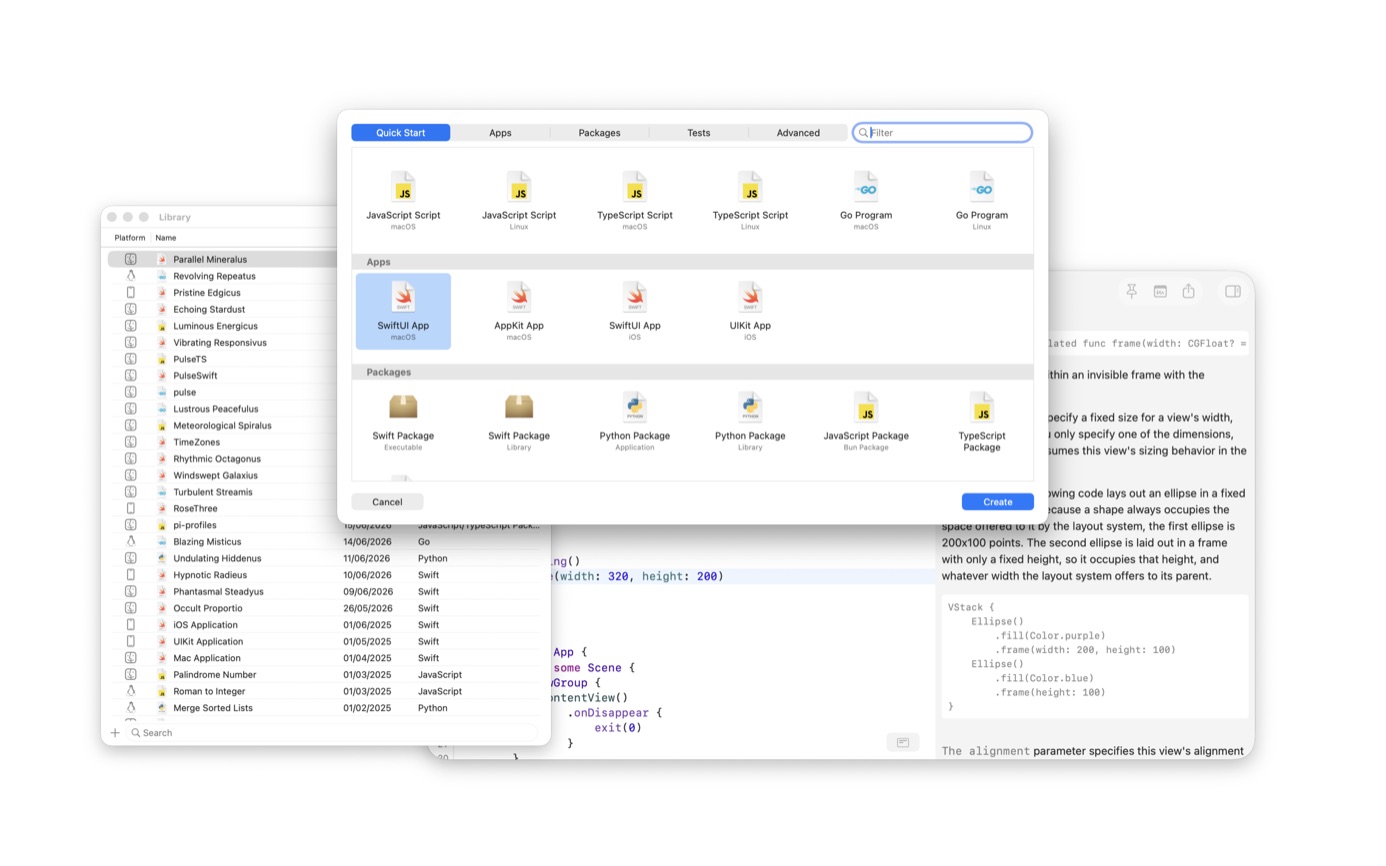
A single file covers language questions and small command-line checks. When you need dependencies, start from the Swift Package template instead of assembling a package by hand. The new-note sheet groups the starting points: SwiftUI App, AppKit App, UIKit App, and Swift Package, for Mac and for iOS. Version 1.5 added bookmarking a Swift package in the Library, picking the product from the toolbar, and managing dependencies in project settings.
Open a note and run it
- For a Mac Swift note, use Xcode, Command Line Tools that include Swift, or let Notepad.exe assemble a macOS toolchain. The Simulator still needs Xcode.
- Download Notepad.exe and open it. The new window is a blank note.
- Write the Swift you actually wanted to try. A few lines is enough.
- Press Command-R and read the output in the editor.
- If the snippet is worth keeping, leave it in the Library. Search and tags are there when you come back.
What has to be installed
A Mac Swift note looks for an installed toolchain before it downloads anything. Installed Xcode toolchains are listed first, then Command Line Tools when they contain swift, then a toolchain the app has already assembled. If none of those exist, it assembles a macOS toolchain from Apple's public Command Line Tools packages. A toolchain you picked in Settings is used instead. The assembled toolchain covers macOS only. Simulator SDKs live inside Xcode. The bundled terms still say the latest Xcode is required.
Archives, Instruments, a test plan, and a widget beside an app still belong in Xcode. Notepad.exe does not set up a signing team. If the question in front of you is a SwiftUI screen on a phone, run it in the iOS Simulator from the editor. That run has no .xcodeproj. If a Mac window is worth opening without the editor, Distribute App writes a local app from a macOS Swift note. App Store upload stays in Xcode.
Keep the note where you can find it
The Library stores the note with a name, a language, and optional tags. Pin the window above other apps when you are comparing the snippet with a header or a browser tab.
When you need a package
A note that only uses the standard library should stay a note. When it needs dependencies, use the Swift Package template, bookmark it in the Library, and pick the product from the toolbar. Version 1.5 added that workflow.
The download is free, with a smaller set of features and the occasional reminder. Pro is $19.99 a year on up to three Macs. A perpetual license for 1.x updates is $45. Students and educators can apply for the annual plan at no charge.
Questions
Can I run Swift if I only install the Command Line Tools?
Yes, for a Mac note, when those tools include Swift. If nothing is installed, Notepad.exe can assemble a macOS toolchain from Apple's packages. The iOS Simulator still needs Xcode. The bundled terms still say the latest Xcode is required.
Does Command-R work for a Swift package, or only a single file?
Both. A blank note runs as a file. A Swift Package template is there when you need dependencies, and you can pick the product to build from the toolbar.