Run JavaScript on a Mac with Bun
A JavaScript file on a Mac can run before npm init. Notepad.exe runs JavaScript and TypeScript with Bun, and it can install Bun when Bun is missing. Open a file, press Command-R, and read the output.
One file
The usual JavaScript start is a directory, a package.json, a node_modules tree, and a decision about TypeScript config before you have printed anything. That is reasonable for an app. It is a lot of setup for a twenty-line script that renames files or checks a response.
The JavaScript release of Notepad.exe picked Bun on purpose. Highlighting comes from Tree-sitter. Completion and errors come from typescript-language-server. Execution is Bun, on macOS and on Linux, and the app installs Bun instead of sending you to a setup page. Open a note, write the script, hit Run. The screenshot on this page is that moment: a TypeScript file, and the lines it printed.
A package
A single file stops being enough when you need a dependency. The new-note sheet has JavaScript Package and TypeScript Package templates, and the homepage lists JavaScript dependencies next to Swift packages and Python requirements. Add them when the script needs a dependency.
Notepad.exe can open an existing Node folder, but the run button is Bun's. If the project depends on a Node-only behavior, run it with Node. Use a note for a script that has no reason to live in that repo.
Run it
- Open Notepad.exe. If Bun is not installed, the JavaScript support installs it.
- Start a JavaScript or TypeScript note, or open a file you already wrote.
- Press Command-R. Bun runs the file. Output appears under the editor.
- Add a package when one file is no longer enough. The new-note sheet has JavaScript Package and TypeScript Package templates.
- For a server-shaped check, there is a Linux script template. See the Linux guide for what that target covers.
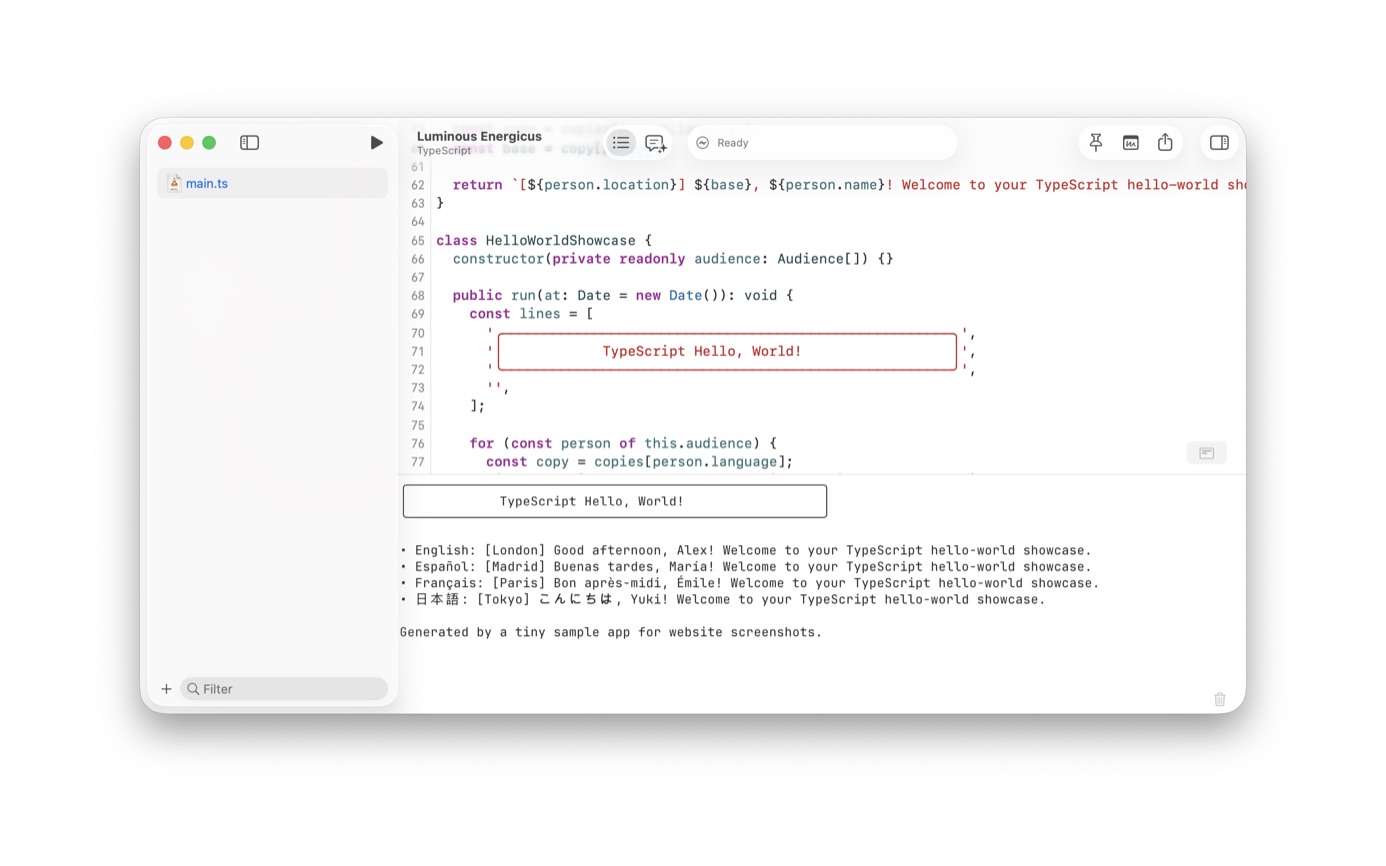
TypeScript
The hero on the homepage is a TypeScript file, clock.ts, with completion open and Quick Help beside it. The gallery shot next to it is a TypeScript package with bun test passing. The language service is already the TypeScript one, so those types show up in this editor.
A generated Linux note runs the Bun inside the app's container. The template sheet has JavaScript and TypeScript scripts marked Linux. A native package script is not supported in that container. The Linux guide is the longer version.
A first file
A useful first file reads a directory and prints the names longer than twenty characters. Bun runs it with no package.json, tsconfig, or bundler. If you want types, rename the note to TypeScript. The language service is already typescript-language-server, which is why completion in the homepage hero can offer performance.now inside a .ts file that has never been part of an npm package.
Tests are the same runtime. The gallery image on the homepage is bun test for a TypeScript package, seven passes, sitting under the editor. You can live in a single file until the assertions need a second file. Then use the TypeScript Package template.
Native addons, older Node polyfills, and tools that shell out to the node binary will surprise you. When that happens, run that project with Node. The Linux template is for a script you want to run on a server, and that run uses the container's Bun, not a Bun the app installs on the Mac.
TypeScript on a single file still typechecks through the language server. A bad argument gets a red underline before any tsconfig exists. Add the config when the file joins a package other people will clone. Until then, Command-R is the check: the script printed, or Bun told you why it did not.
Questions
Does Bun replace Node for a project I already have?
Use Bun for notes and small scripts. An existing Node repo can be opened in the editor, but the run button executes with Bun. Keep Node for projects that need Node.
Will Notepad.exe install Bun for me?
On the Mac, yes. If Bun is missing, the app installs it. A Linux run uses the Bun already in the container image, currently 1.4.2. Native JavaScript package scripts are not supported in that container.